What Is the Kruti Dev Font? Kruti Dev 010, Mangal and Unicode Explained
What the Kruti Dev font is, how Kruti Dev 010 stores Hindi, why it shows English letters without the font, and how it compares with Mangal and Unicode.
Kruti Dev is a family of Hindi fonts that was widely used for Hindi typing on Windows computers before Unicode became common. Kruti Dev 010 is the best-known member, and many offices, typing tests and print shops still use it.
Kruti Dev looks like any other Hindi font on screen. Underneath, it works in a completely different way.
How Kruti Dev Stores Hindi
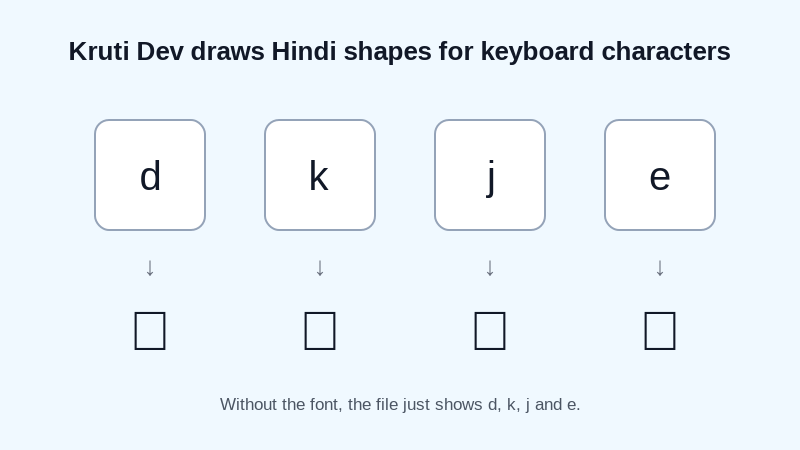
Kruti Dev is a font-encoded (legacy) font. The text in the file is made of ordinary keyboard characters, and the font draws a Hindi shape for each one:
| You press | Stored in the file | Kruti Dev draws |
|---|---|---|
d |
d | क |
k |
k | ा |
j |
j | र |
e |
e | म |
So the word भारत is stored as Hkkjr, and नमस्ते as ueLrs.
Glyphs that do not fit on the keyboard, such as क्र, ऊ or ॉ, are placed on extended characters typed with Alt codes, for example Alt + 0216 for क्र (Ø).
Why Kruti Dev Text Shows English Letters
Because the file really contains English letters and symbols, any computer, phone or website without the Kruti Dev font shows exactly that: Hkkjr.
This also means:
- Search engines index the text as meaningless English letters.
- Spell checkers, sorting and screen readers do not understand it.
- Changing the font to Mangal does not help. Mangal shows the stored characters as they are.
Kruti Dev’s Keyboard Order
Kruti Dev stores characters in the order a typist presses them, which is the order they appear on screen:
- The short i matra ि is typed before its letter: कि is
fd. - The reph र् is typed after its syllable: कार्य is
dk;Z.
Unicode stores both in logical order instead, which is why converting between the two needs more than a lookup table. See our guide to Hindi font conversion errors for what happens when a converter gets this wrong.
Kruti Dev vs Mangal vs Unicode
| Kruti Dev 010 | Mangal | Unicode | |
|---|---|---|---|
| What it is | A legacy font family | A Unicode font from Microsoft | The character encoding standard |
| How क is stored | d |
U+0915 | U+0915 |
| Needs a special font to read? | Yes, Kruti Dev | No, any Hindi Unicode font works | No |
| Works on phones and the web | Not without conversion | Yes | Yes |
Mangal is not an alternative encoding; it is one of many fonts that display Unicode Hindi. That is why “Kruti Dev to Mangal” and “Kruti Dev to Unicode” are the same conversion.
Kruti Dev 010 and Other Versions
The Kruti Dev family has many numbered fonts. They are mostly different type designs built on the same character layout as Kruti Dev 010, so text typed in one generally displays in the others. Our converters are built and tested for the 010 layout; if you use another Kruti Dev font, check rare conjuncts after converting.
Fonts such as DevLys, Chanakya and Shree-Lipi are different legacy families with their own layouts. Text typed in them cannot be converted with a Kruti Dev converter.
Should You Still Use Kruti Dev?
Use Kruti Dev when someone specifically requires it, for example a typing test, an office template or a print workflow built around it. For everything else, Unicode is the better choice: it is searchable, works on every device and keeps working if the font changes.
You can move between the two at any time:
- Kruti Dev to Unicode converter for old documents.
- Unicode to Krutidev converter when a Kruti Dev copy is required.
- Kruti Dev to Mangal for the Word workflow.