KrutiDev vs Unicode: Key Differences and Why Encoding Matters
Understand the fundamental differences between legacy ASCII fonts like KrutiDev and universal UTF-8 Unicode for Hindi typing, printing, and web publishing.
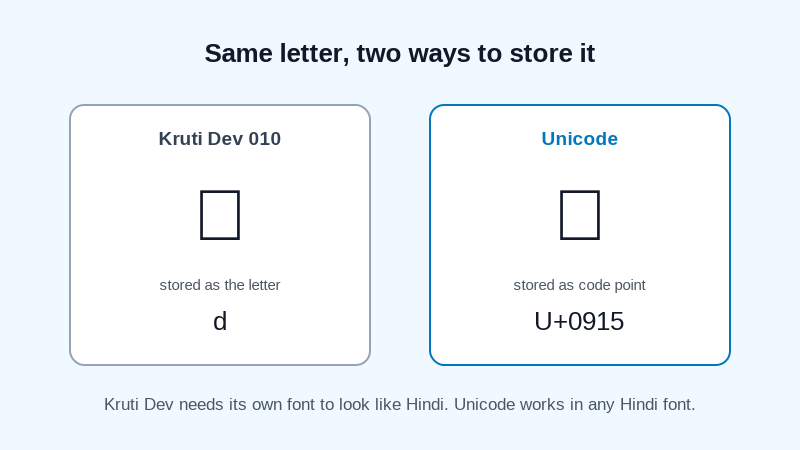
When working with Hindi digital content, you frequently encounter two major font formats: KrutiDev and Unicode (Mangal). While both display Devanagari script, their underlying technology, character encodings, and use-cases are fundamentally distinct.
Understanding these differences will help you choose the right font for typing examinations, document printing, and digital publishing.
KrutiDev vs Unicode: Quick Comparison Table
| Feature | KrutiDev (Legacy Font) | Unicode (Mangal / Nirmala UI) |
|---|---|---|
| Encoding Standard | 8-bit font encoding (not a standard) | Unicode, saved as UTF-8 or UTF-16 |
| System Dependency | Requires KrutiDev font installed | Works on all major OS, browsers & phones |
| Web & SEO | Search engines see English letters | Searchable and indexable as Hindi |
| Typing Keyboard | Remington-style typewriter layout | InScript, phonetic, Remington (GAIL) or Google Input |
| Typing Exams | Used by some state-level tests | Used by many newer computer-based tests; check each notification |
| Social Media / Chat | Appears as gibberish (e.g. ueLrs for नमस्ते) |
Displays readable Hindi everywhere |
How KrutiDev Works
KrutiDev is an ASCII glyph-mapping font. Decades ago, before Unicode existed for Indian languages, English typewriter keys (A–Z, symbols) were mapped directly to Devanagari shapes.
When you type on a keyboard with KrutiDev active:
- Pressing
ddisplays क - Pressing
kdisplays ा (aa matra) - To someone without the KrutiDev font installed, the text appears as random English characters like
dk.
This makes KrutiDev documents non-portable across modern devices unless converted or printed to PDF.
How Unicode Works
Unicode is the international standard maintained by the Unicode Consortium. Every Devanagari character and vowel mark has an immutable numeric code point:
- क is
U+0915 - ा is
U+093E
Because all modern operating systems (Windows 11, macOS, Android, iOS, Linux) have built-in Unicode rendering engines, Unicode Hindi text displays beautifully on every screen, search engine, email client, and social platform.
When Should You Use Which?
-
Use KrutiDev when:
- Preparing for state-level typing speed tests (CPCT, High Court, Steno).
- Laying out books or newspapers in legacy publishing software.
- Submitting documents to government offices with specific font mandates.
-
Use Unicode when:
- Creating websites, blogs, or online documents.
- Sending emails, WhatsApp messages, or social posts.
- Archiving long-term digital text that needs to remain searchable for decades.
Whenever you need to bridge the gap between both worlds, use our Kruti Dev to Unicode converter or the Unicode to Krutidev converter. Both work in either direction with one click.